

Football fever is at an all-time high in Nigeria! With the World Cup delivering breathless action, beautiful goals, and massive drama across North America, nobody wants to miss a single second. While streaming on a mobile phone is convenient when you’re on the move, nothing beats experiencing 90 minutes of pure tactical masterclass on a big screen.
If you are wondering how to connect your Android phone or iPhone to your Smart TV to stream the live matches, this guide is for you. We break down the absolute best ways to get the best viewing experience right from your living room.
Method 1: The Wireless Route (Screen Mirroring & Casting)
Wireless casting is the most popular way to push the game from your mobile phone straight to your TV without cluttering your parlor with wires.
1. For Android Users (Chromecast / Smart View / Cast)
Most modern Android devices come with a built-in “Cast” or “Smart View” feature.
-
Step 1: Ensure both your smartphone and your Smart TV are connected to the exact same Wi-Fi network (or your mobile hotspot if that is your setup).
-
Step 2: Swipe down from the top of your phone screen to open the Quick Settings panel.
-
Step 3: Look for Cast, Smart View, Wireless Display, or Screen Mirroring.
-
Step 4: Select your Smart TV from the list of available devices. Your phone screen will instantly appear on your TV. Open your preferred streaming app and enjoy the match!
2. For iPhone Users (AirPlay)
If you use an iPhone and have an Apple TV or an AirPlay 2-compatible Smart TV (like newer LG, Samsung, or Hisense models), this is seamless.
-
Step 1: Connect your iPhone and Smart TV to the same Wi-Fi network.
-
Step 2: Swipe down from the top-right corner of your iPhone to open the Control Center.
-
Step 3: Tap the Screen Mirroring icon (two overlapping rectangles).
-
Step 4: Select your TV from the options, enter the code shown on your TV if prompted, and start streaming.
Best iPhone 11 prices in Lagos
Best iPhone 12 prices in Lagos
Method 2: The Official App Casting Feature (Best for Data & Quality)
Instead of mirroring your entire phone screen (which can drain your battery and show your personal WhatsApp notifications to everyone in the parlor), you can use the built-in cast button inside your official Nigerian streaming apps.
Whether you are using DStv Stream, GOtv Stream, or StarTimes ON, the process is identical:
-
Launch the app on your phone and start playing the live World Cup match.
-
Look at the top right corner of the video player for a small Cast Icon (a rectangle with Wi-Fi waves).
-
Tap it and select your Smart TV or Android TV box.
-
The TV will take over the stream stream in full HD, allowing you to freely lock your phone, chat, or make calls without interrupting the match.
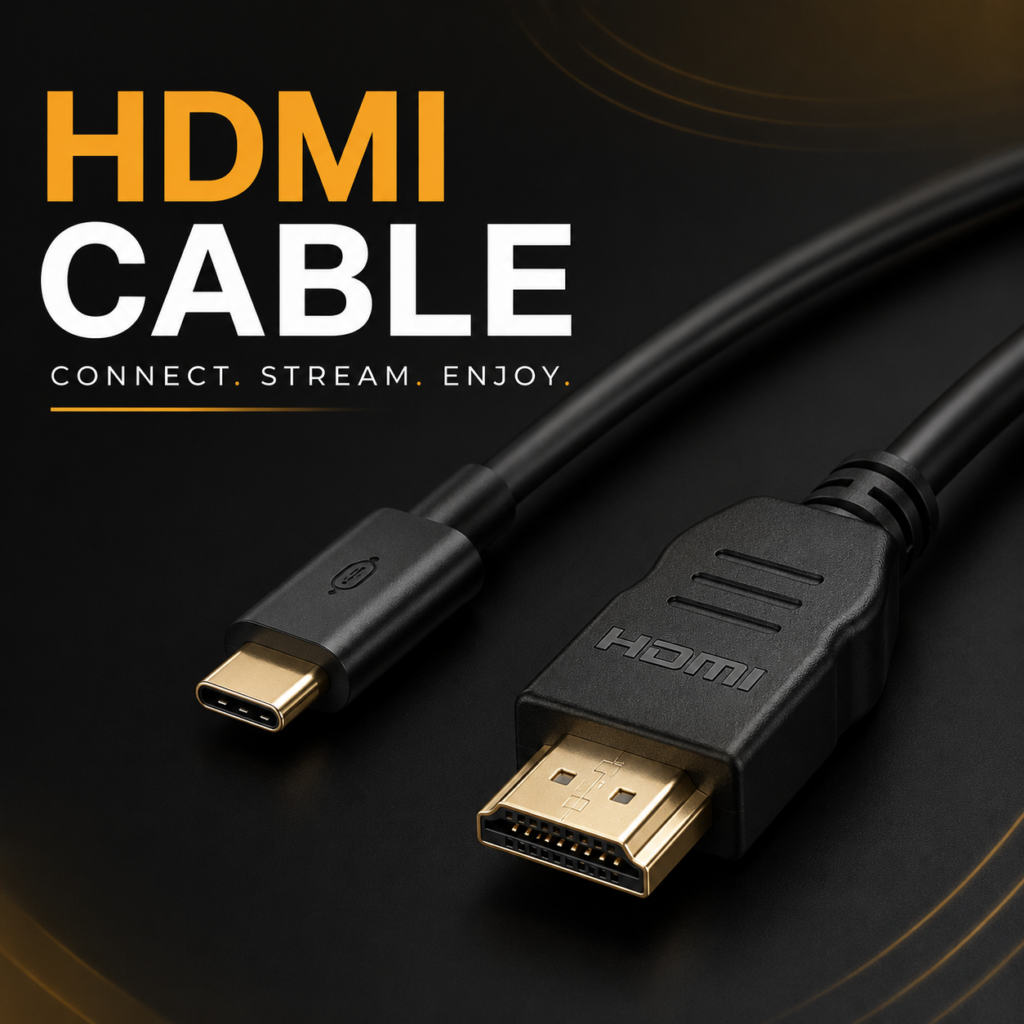
Method 3: The HDMI / Type-C Wire Route (Zero Lag, Zero Wi-Fi Needed)
If you don’t have a stable Wi-Fi network or you want to completely avoid casting lag during a tense penalty shootout, a wired connection is your safest bet.
-
For Newer Androids & iPhone 15/16 Series: You can buy a Type-C to HDMI cable. Simply plug the Type-C end into your phone and the HDMI end into your TV. Change your TV input to the correct HDMI port, and your phone screen will project instantly.
-
For Older iPhones: You will need a Lightning Digital AV Adapter paired with a standard HDMI cable to hook it up.
How Much is Google Pixel 7 and 8 in Nigeria
Experiencing Overheating, Lag, or a Weak Battery Mid-Match?
Streaming a live 90-minute football match in high definition puts massive demand on your smartphone’s processor, battery, and screen. If your phone is lagging, getting uncomfortably hot, or dropping battery percentage faster than a striker on a counterattack, it’s going to ruin your World Cup experience.
Don’t let a bad screen or a weak battery cut you off before the final whistle!
Upgrade Your World Cup Experience with The Phonepreneur
At The Phonepreneur, we make it incredibly easy to level up your mobile experience. We sell, we swap, we repair, and we deliver nationwide! If you prefer a hands-on experience, you can also opt for physical pick-up at our locations.
Drop by Our Walk-In Stores in Lagos
Don’t wait until your current phone gives up entirely. We welcome serious buyers to visit our physical walk-in stores in Lagos for instant swaps, expert repairs, or to browse our latest premium inventory:
-
Shop 1: 2 Pepple Street, Mokland Plaza, 1st Floor Right Wing, Opp. Zenith Bank, Computer Village, Ikeja, Lagos.
-
Shop 2: Shop 4C, 4th Floor, Mokland Plaza, 3–9 Olu Koleosho Street, Off Simbiat Abiola Road, Computer Village, Ikeja, Lagos. (Landmark: Mokland Hotel; street opposite New Slot, Medical Road).
Reach Our Team Instantly
Have questions about a phone swap, need a quick screen repair before the next big game, or want to lock in a new device? Reach out now:
-
Call / WhatsApp: 08106360694 | 08146321691
-
Instagram: @the_phonepreneur
-
TikTok: @thephonepreneur
Let’s Chat!
What smartphone are you currently using, and are you looking to upgrade its screen, swap it for a new model, or change the battery soon? Let us know in the comments below or send us a message on WhatsApp!
Discover more from The Phonepreneur Global
Subscribe to get the latest posts sent to your email.