Editorial Team

Best Power Banks for Nigerian Conditions That Actually Last

Best Power Banks for Nigerian Conditions That Actually Last

If you live in Nigeria, you already know how unpredictable electricity can be. Some days, you’ll have full light all day. Other days, you’ll plug your charger in, and puff, nothing. That’s why having a good power bank or two power banks is no longer a fancy thing. It’s a survival scheme! Whether you’re a content creator, a busy parent, a student trying to keep your phone alive during online classes, or even a church media team, you need one. From keeping your kids’ tablets powered to ensuring your work phone doesn’t die mid-meeting, a reliable power bank is one small investment that saves a lot of stress. At The Phonepreneur Global, we have something for everyone. From small, handy power banks to massive ones that can charge your laptop and even power some devices. Let’s show you the best options you can grab right now, all tested and trusted for real Nigerian conditions.   1. PowerBox 600 (60,000mAh) If your phone is your office, this power bank is the one for you. The PowerBox 600 is a powerhouse. It can charge a smartphone up to 10 times and still have enough juice for your laptop or camera. It’s perfect for content creators, business owners, and travelers who are always on the move. Price: ₦88,000 (Discounted) Check it out here   2. PowerHouse B100 Now this one isn’t just a power bank but a mini power station. You can use it to charge your laptop, Wi-Fi router, Bluetooth speaker, and even some home gadgets. It’s reliable, strong, and worth every naira if you work remotely or travel a lot. Price: ₦182,000 Available here at The Phonepreneur   3. Bistar 30,000mAh Wireless Power Bank If you love sleek and easy, this is your pick. The Bistar Wireless Power Bank lets you charge your phone without cables. Just drop it on top and let it work. It supports fast charging and can handle multiple devices at once. No messy cords, no stress. Price: ₦35,000 Get it now   4. Oraimo Traveler 12 One of the most popular among Nigerians. The Traveler 12 power bank is strong, portable, and reliable. It can handle constant use and still maintain good battery life. It’s perfect for everyday users who just need something affordable and durable. Price: ₦16,000 Shop now   5. PowerSolar 38 If you stay in an area where light is a “special visitor,” this power bank is a must-have. The PowerSolar 38 charges directly with sunlight. That means you can charge it even in the middle of nowhere. It’s a lifesaver for road travelers, rural areas, or emergency situations. Price: ₦96,000 See it here   6. PowerJet 130 – Fast Power Bank This power bank is for people who hate waiting. The PowerJet 130 supports super-fast charging, so your phone can go from 0% to 80% in minutes. It’s ideal for gamers, influencers, and business users who need quick power-ups. Price: ₦79,500 Buy yours now   7. PowerBox 400 Vision (40,000mAh) This guy here is not too big, not too small, just right. The PowerBox 400 Vision power bank balances power and portability. It’s great for students and families who want strong performance without carrying a heavy block around. Price: ₦36,000 Available here   Tips for Choosing the Right Power Banks in Nigeria Go for higher capacity (20,000mAh and above if you move around a lot). Fast charging is a must if you’re always on the go. Solar charging? Perfect for rural or outdoor use. Wireless charging adds convenience. Buy original. Counterfeits don’t last. Always buy from trusted sources like The Phonepreneur Global.   Rounding Off At the end of the day, light or no light, your phone shouldn’t go off when you need it most. These power banks are made to handle Nigeria’s real power struggles. They are reliable, durable, and tested. Shop the best deals today at The Phonepreneur Global. We deliver fast, safe, and nationwide.

Best Power Banks for Nigerian Conditions That Actually Last Read More »

Nigeria, The Gamer’s Kit Is Here!

Nigeria, The Gamer’s Kit Is Here!

Gamers, streamers, and tech lovers across Nigeria, this one’s for you! This October, The Phonepreneur Global brings you a new lineup of gaming gear, internet kits, and high-quality sound systems to level up your entire entertainment experience. So, whatever you are doing, whether you’re building a new setup or upgrading an old one, this month’s offers combine speed, sound, and power, all at the best market prices. STARLINK: Next-Generation Internet for Gamers & Streamers If you’ve ever lost a FIFA match because of lag, you already know how important fast and stable internet is. That’s where Starlink comes in , Elon Musk’s satellite-powered internet that delivers high-speed connectivity anywhere in Nigeria. Model Description Price (₦) Starlink V4 Latest release, faster setup, improved latency 520,000 Starlink Gen 2 Reliable, wide coverage for home or office 470,000 Starlink Mini Compact version, perfect for mobile users or small spaces 355,000 All Starlink kits are easy to install, power-efficient, and built for both work and play. Imagine streaming your game live, downloading updates in seconds, or hosting online tournaments without interruptions. Shop Starlink Kits PlayStation 5 & 4 – Power, Precision & Performance PlayStation continues to define gaming excellence, and this October, The Phonepreneur is stocked with both PS4 and PS5 models, including the new PS5 Pro and PS5 Slim. PS5 Slim 1TB (Europe): Sleeker build, same 4K power. PS5 Pro 2TB: The ultimate for 8K-ready gaming and top-tier performance. PS4 Slim: Still one of the best value consoles for everyday gamers. PS5 Portal: Remote Play convenience like never before. DualSense Controllers: Available in multiple colors. Pair your console with EA Sports FC 25 (₦58,000) for both PS4 and PS5 and enjoy realistic gameplay, better physics, and true-to-life visuals. Explore Gaming & Entertainment   JBL & Onyx Speakers: Just Because Sound Matters Great gameplay or movie nights deserve powerful sound. JBL and Onyx continue to lead the market with clearer bass, longer battery life, and Bluetooth 5.3 connectivity. Top picks this month include: JBL Clip 5 – Portable, waterproof, perfect for travel. JBL Flip 7 – Upgraded design with 12 hours of playtime. JBL Charge 6 – Power bank + speaker in one. JBL Boombox 3 Wi-Fi – Deep bass and Wi-Fi streaming for home setups. Onyx Studio 8 & 9 – Elegant design, professional-grade sound. Shop Premium Speakers Pro Tip: You Can Build Your Own Gamer’s Setup You don’t have to buy everything at once. Start smart: Internet First: Get Starlink Mini, portable and reliable. Console Next: Choose between PS4 Slim (budget) or PS5 Pro (power). Sound Upgrade: Add JBL Flip or Charge for full immersion. Extras: Grab a controller, a game, and you’re ready to go! When combined, these make up The Gamer’s Kit, your full gaming ecosystem built for speed, sound, and performance. Why Shop The Phonepreneur Global Nationwide Delivery: Lagos, Abuja, Port Harcourt, Enugu & Everywhere in Nigeria!Genuine Products: No clones, no stress , only verified stock.Warranty Support: Peace of mind with every purchase. Exclusive Deals: ₦30,000 off select items for early buyers. Visit Us: Mokland Plaza, Shop 4C, Olu Koleosho Street, IkejaM-Square Plaza, 2 Pepple Street, Computer Village, Ikeja Or shop online: The Phonepreneur Global Summary Category Highlight Product Best For Internet Starlink V4 Fast, unlimited connectivity Console PS5 Pro Performance gaming Audio JBL Boombox 3 Immersive sound Accessory PS5 Portal Portable gaming convenience   Rounding Off The Gamer’s Kit is more than a promo! Whether you’re gaming, streaming, or vibing, October is your time to upgrade. Every product at The Phonepreneur Global is curated to give Nigerians premium tech at fair prices, because you deserve the best setup for less.

Nigeria, The Gamer’s Kit Is Here! Read More »

How to Turn Your Smartphone Into a Webcam for Zoom & Live Streams

How to Turn Your Smartphone Into a Webcam for Zoom & Live Streams

Want your Zoom calls or livestreams to look crisp and professional without buying a webcam? Good news, friend, your smartphone already has one of the best cameras you can use! Oh yes! With a few simple tools and apps, you can easily turn your phone into a webcam for work meetings, church services, YouTube, or social media streaming. Let’s walk through how to do it, step by step. Why Use Your Phone as a Webcam? Smartphones today (even older models) have better cameras than most built-in laptop webcams. With a good smartphone, you get: Sharper image quality (Full HD or even 4K) Better lighting adjustment Portability and flexibility, as you can use front or back camera easily Perfect for vlogging, online teaching, or business calls What You’ll Need To set this up properly, you only need a few basic items, all available at The Phonepreneur Global: A smartphone, android or iPhone A tripod or phone holder (like the L16 Wireless Selfie Tripod) A ring light for good lighting (try the 14-inch Ring Light) A microphone for clearer sound (we recommend the Q81 Wireless Microphone) A cable or Wi-Fi connection to connect the phone to your computer Optional but useful: A Bistar 30,000mAh Power Bank so your phone doesn’t die during long sessions. Step-by-Step Setup 1. Choose Your Connection Type You can connect your phone in two ways: Wired connection: Using a USB cable gives you faster, lag-free performance. Wireless connection: Great for flexibility.  Just ensure both devices are on the same Wi-Fi network. 2. Install a Webcam App Depending on your phone type, download one of these apps: For Android: DroidCam, Iriun Webcam, or EpocCam For iPhone: Camo Studio or EpocCam Install the app both on your phone and computer. These apps make your PC recognize your phone as a webcam automatically. 3. Mount Your Phone Properly Use your tripod or mount to position your phone at eye level so that your video feels more natural. If you’re streaming, switch to the rear camera for better clarity. 4. Improve Lighting & Sound Even the best camera looks dull without good lighting. Turn on your ring light or sit near a window.Use the Q81 Wireless Microphone to eliminate background noise. This will instantly upgrade your audio quality. 5. Adjust Settings Inside Zoom, OBS, Google Meet or StreamYard: Go to Video Settings > Camera Choose your webcam app (e.g., “DroidCam Source”) Test your video and audio before going live Pro Tips for Nigerian Creators Use a power bank during long church streams, live worship, or business webinars. Close unnecessary apps to keep your phone cool. Switch to airplane mode + Wi-Fi to avoid interruptions from calls. Add a simple background for a clean, professional look. Bonus: Get a Ready-Made Creator Kit If you’re serious about content creation or online meetings, The Phonepreneur Global has bundled everything you need into one Content Creator’s Kit, including tripod, microphone, ring light, and power bank, all at a discounted price. Grab yours here — ₦160,000 (₦30,000 OFF for the first 50 buyers!) Rounding Off Your smartphone is far more powerful than you think. With the right tools and setup, you can stream, teach, and meet with stunning clarity, with no webcam required!!! So whoever you are, a pastor livestreaming church service, a teacher hosting virtual classes, or a vlogger connecting with your audience, your next great video can start right from your phone. Ready to upgrade your setup? Visit The Phonepreneur Global, your trusted gadget plug for iPhones, Androids, computers, creator kits, and all digital accessories in Nigeria.

How to Turn Your Smartphone Into a Webcam for Zoom & Live Streams Read More »

Content Creator's Kit

The Ultimate Content Creator Kit for Every Nigerian Vlogger

Creating high-quality videos doesn’t have to cost millions of naira or require a full studio. With the right tools, you can shoot clear videos, record crisp audio, and light up your content, all from the comfort of your room. That’s why The Phonepreneur Global has put together the Content Creator’s Kit, a budget-friendly yet professional package designed to help Nigerian vloggers, small business owners, and social media creators make stunning content without breaking the bank. ⚡ Special Offer: Get the full kit for ₦160,000 (₦30,000 OFF) Order here. Q81 Wireless Microphone Good audio makes or breaks a video. The Q81 Wireless Microphone cuts background noise and makes your voice sound clear and professional, even if you’re shooting outdoors or in a busy Lagos street. It’s a dual-mic system — perfect if you do interviews or podcast-style videos. With its long battery life and reliable wireless connection, you can record without worrying about cables or sound glitches. L16 Wireless Selfie Stick & Tripod Every great creator needs a stable shot. The L16 Wireless Selfie Stick Tripod is adjustable, sturdy, and lightweight, so you can film from any angle. It doubles as a tripod and a selfie stick and is perfect for sit-down vlogs, makeup tutorials, Instagram Reels, or TikTok dances. Wireless remote control means you don’t need someone to press “record” for you. 14-Inch Ring Light Lighting changes everything. The 14-inch Ring Light comes with an adjustable tripod and phone holder, giving you studio-level light for a fraction of the price. It works for you if you’re recording makeup tutorials, educational content, product reviews, or Zoom calls. Your videos will look clean and professional without dim, grainy shots. Bistar 30,000mAh Wireless Power Bank There’s nothing worse than running out of battery in the middle of shooting. The Bistar 30,000mAh Wireless Power Bank keeps your phone, mic, and ring light powered all day. No messy cables, no stress. With this tool, you’d have fast, wireless charging so you can keep creating on the go. SanDisk 128GB Ultra Dual USB Type-C OTG Tired of slow transfers? The SanDisk 128GB OTG Flash Drive makes moving videos and photos from your phone to your laptop super quick. It works with both USB-C and USB-A ports, so it doesn’t matter if you’re editing on a MacBook, HP, or Dell, your workflow stays smooth. Why This Kit Is a Game-Changer for Nigerian Creators Affordable & Complete: Everything you need to start vlogging, streaming, or filming is in here, no need to shop for separate gadgets. Professional Quality: Clear sound, stable shots, bright lighting, and reliable storage. Portable & Creator-Friendly: Light enough for travel and easy to set up at home or on location. Future-Proof: Works with most iPhones and Androids including our latest Android phones and iPhones. Start Your Creator Journey Today So are you a YouTuber, TikToker, Instagram content creator, or a small business owner making product videos? This kit will instantly level up your content. Don’t wait until “someday” to start creating high-quality videos. Start now, on a budget that works for you. Get the Content Creator’s Kit for just ₦160,000 (₦30,000 OFF) while the early bird deal lasts.Order yours today — we deliver fast and safely across Nigeria.

The Ultimate Content Creator Kit for Every Nigerian Vlogger Read More »

How to Record Quality Videos With Your Phone 3

How to Record Quality Videos With Your Phone (Even Without Expensive Equipment)

These days, your phone can do more than just take casual pictures. It can shoot stunning videos good enough for YouTube, TikTok, Instagram Reels, and even small business ads. You don’t need fancy cameras or expensive gear to get started. With the right settings, simple tricks, and a few affordable tools, you can make your phone videos look crisp, bright, and professional. Who are you? A content creator, a small business owner trying to promote your brand, or just someone who wants to make better family videos? Don’t worry. This guide will help you create pro-quality videos with just your smartphone. 1. Start With Good Lighting First things first, light! Lighting is everything in video. Even the newest iPhone 17 Pro Max or Samsung Galaxy S25 Ultra won’t be able to rescue a poorly lit video, so, take care to have rich lighting. Record near a window during the day for soft, natural light. Face the light (don’t put it behind you). Avoid harsh overhead bulbs that cast shadows. If you’ll be shooting often, consider a ring light or small LED panel. They’re affordable and make a huge difference. 2. Keep Your Shot Stable Shaky videos instantly look unprofessional. Use both hands to hold your phone steady. Rest your elbows on a table or wall if possible. Better yet, invest in a tripod or phone stabilizer. Yes, there are many affordable options exist online and in local stores. And if you’re using an iPhone or a Samsung Galaxy, turn on image stabilization in your settings for extra smoothness. 3. Clean Your Lens (It Matters More Than You Think) It sounds simple, but a smudged camera lens can ruin your video. Before you start recording, gently wipe your phone camera with a soft cloth to remove fingerprints or dust. 4. Record in the Highest Quality Your Phone Allows On iPhones (XR and above): Go to Settings > Camera > Record Video and select 4K at 30fps or 60fps. On Samsung Galaxy phones (S20 and newer): Go to Camera Settings > Video Size and pick UHD or 4K. 4K video looks sharp and future-proof, and even if you don’t plan to upload in 4K, it gives you better quality when editing.   5. Use the Back Camera, Not the Selfie Camera The rear camera on almost every phone, whether it’s an iPhone 14, iPhone 16 Pro Max, or Samsung Galaxy S25 Ultra is better than the front-facing one. Use it whenever possible for higher resolution, better stabilization, and richer colors. 6. Get Great Audio (Without a Pro Mic) Your video can look good, but if the sound is bad, people will leave. Record in a quiet room and close windows to reduce background noise. If you can, use wired earphones or an affordable lapel mic. It makes a big difference. For extra clarity, avoid covering your phone’s mic holes while recording. 7. Edit Smartly, Right on Your Phone Editing makes your video stand out. iPhone users: iMovie or CapCut is great for quick, clean edits. Android users: CapCut, VN, or Kinemaster works well. Trim mistakes, add captions, and adjust brightness/contrast to make your footage pop. 8. Shoot Horizontally for YouTube, Vertically for Social Media Think about where your video will be shared. YouTube & Facebook: Landscape (horizontal) works best. TikTok, Instagram Reels & Stories: Stick to vertical. 9. Don’t Zoom! Move Closer Instead Digital zoom can reduce quality and make your video look grainy. Physically move closer to your subject if you want a tighter shot. Recommended Phones for Great Video Recording If you’re looking to upgrade your phone for better video content, here are some solid picks available right now: iPhone 17 Pro / Pro Max — Exceptional cameras, ProRes video, long battery life. Shop here Samsung Galaxy S25 Ultra — 200MP main camera, insane zoom, top-notch video quality. Shop Samsung phones here Budget-friendly options — iPhone 13, iPhone 14, or Samsung S21/S22 still record beautiful videos without costing as much as the newest models. Shop authentic phones, tablets, and creator kits on The Phonepreneur. We deliver nationwide and offer free shipping on Lagos Mainland for orders above ₦500k. Rounding Off You don’t need a studio or expensive gear to shoot videos that impress. Start with good lighting, steady shots, clear sound, and smart editing. As your skills grow, you can add small upgrades like a ring light, tripod, or lapel mic but your phone alone is already powerful. At The Phonepreneur, we help creators and business owners unlock the full potential of their gadgets. From affordable iPhones to the latest Samsung Galaxy S25 Ultra, and even content creator kits, we’ve got everything you need to take your videos to the next level.

How to Record Quality Videos With Your Phone (Even Without Expensive Equipment) Read More »

iphone 17 series The Phonepreneur

iPhone 17 series: Everything you need to know

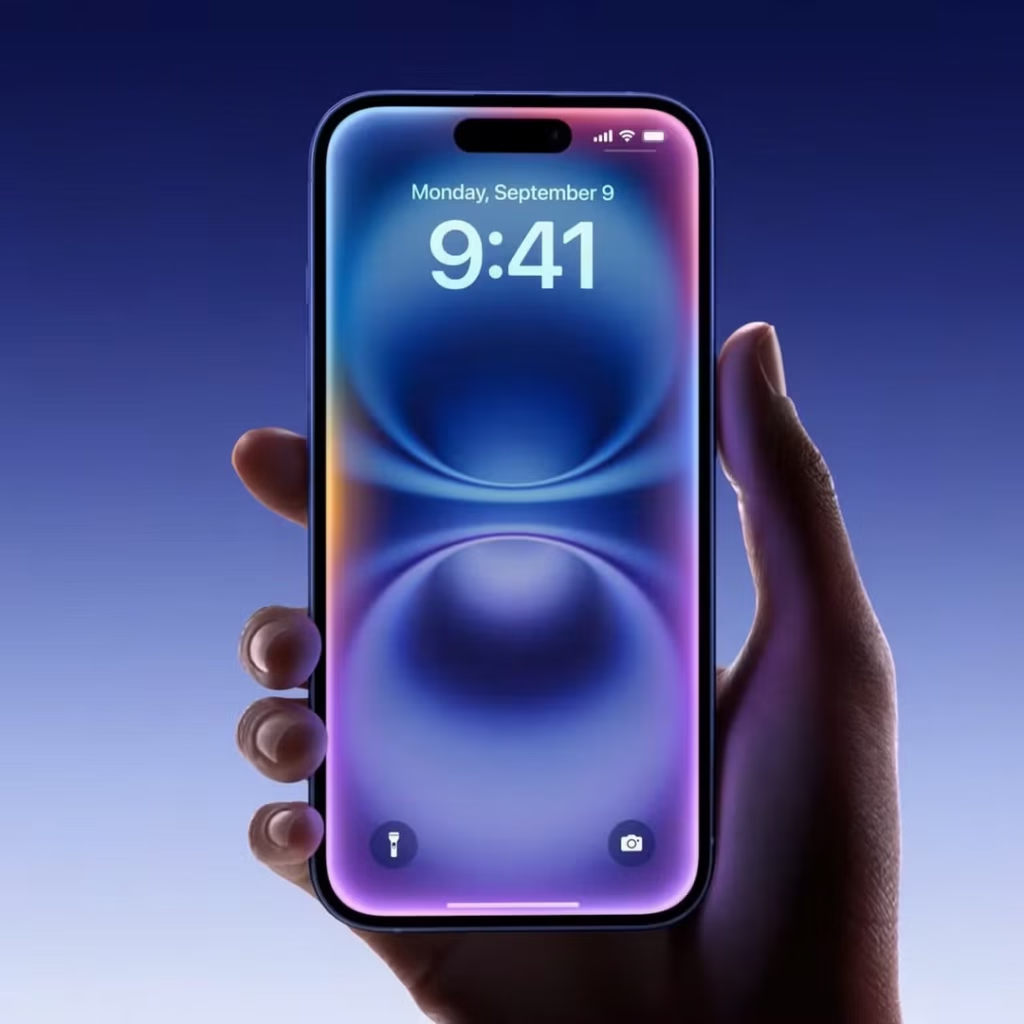
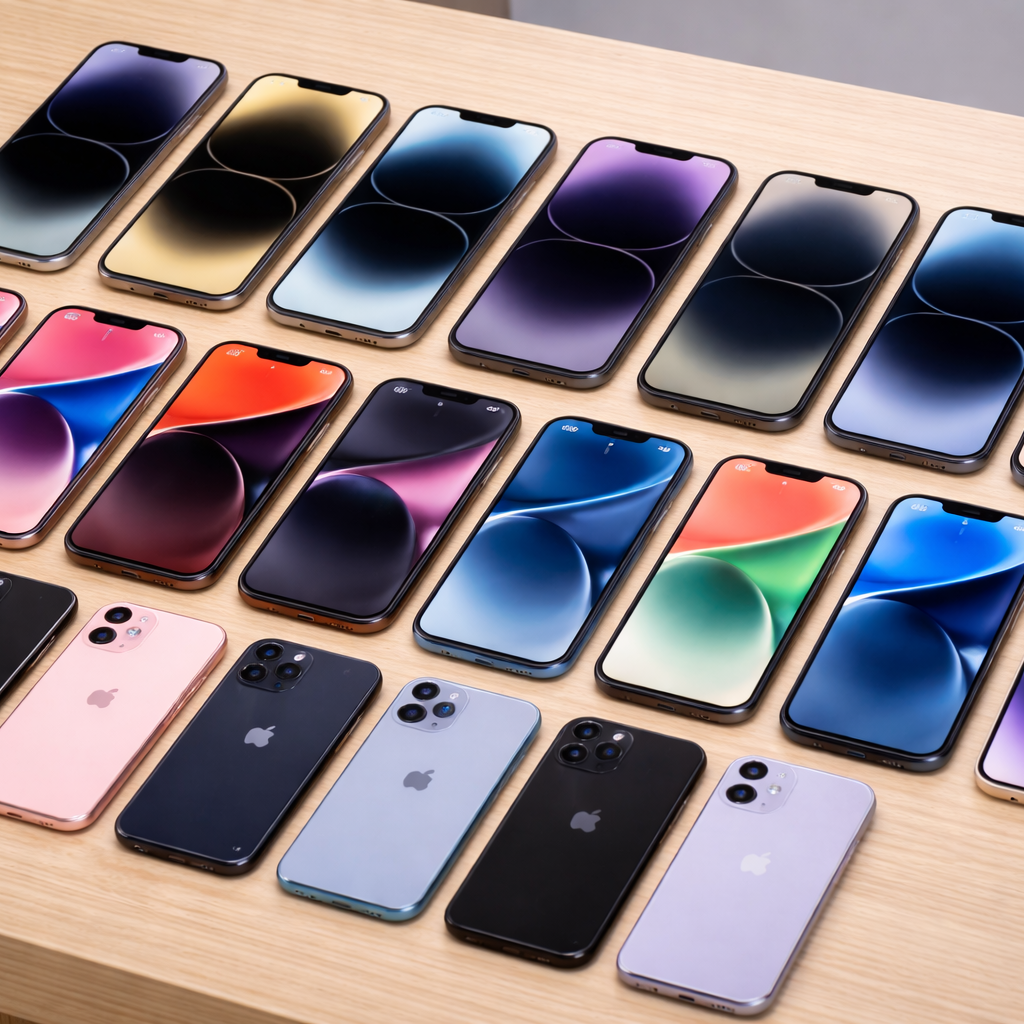
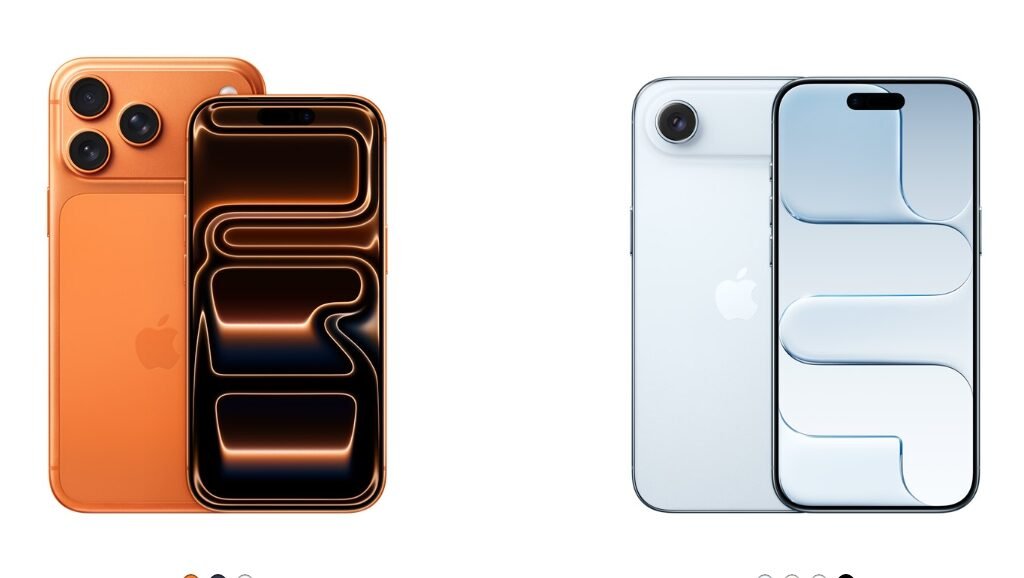
The wait is over! Apple’s iPhone 17 is here, and it’s already causing a buzz worldwide. If you love premium gadgets or you’re due for an upgrade, this is the year’s most exciting release. And yes, you can pre-order it right now from The Phonepreneur Global – Nigeria’s trusted source for original Apple devices and more. This year, we have four models of the iPhone 17 to choose from: iPhone 17 iPhone 17 Pro iPhone 17 Pro Max iPhone Air (the thinnest iPhone ever) This guide will help you understand the differences and decide which model fits your lifestyle and budget. And when you’re ready, you can pre-order any iPhone 17 model now at The Phonepreneur Global with nationwide delivery and trusted after-sales support. iPhone 17: For Users Who Want the Latest iPhone Without Overspending   Display: 6.3-inch OLED, ProMotion 120Hz + Always-On Chip: A19 (fast and power-efficient) Storage: 256GB (base) or 512GB Camera: Dual 48MP rear (Main + Ultra Wide with 0.5x, 1x, 2x zoom), 18MP Center Stage front Battery: Up to 30 hrs video playback (8 hrs longer than iPhone 16) Build & Colors: Aluminum frame, Ceramic Shield 2 front; Lavender, Mist Blue, Sage, Black, White Why choose it:iPhone 17 is perfect for anyone who wants a smooth, beautiful iPhone experience with a better battery, brighter display, and upgraded cameras but doesn’t need “Pro”-level photography or heavy gaming performance. iPhone Air- Slim, Stylish & Lightweight (But Still Powerful) Display: 6.5-inch OLED, 120Hz ProMotion + Always-On Chip: A19 Pro (stronger than the regular A19) Storage: 256GB / 512GB / 1TB Camera: Single 48MP Fusion rear (1x & 2x optical), 18MP Center Stage front Battery: Up to 27 hrs video playback Build & Colors: Titanium frame, only 5.64mm thin (slimmest iPhone ever); Sky Blue, Light Gold, Cloud White, Space Black Why choose it:If you love a thin, feather-light phone that still performs like a flagship that it is, this is the one. Great for professionals, style lovers, and anyone tired of heavy phones. But note: it has just one rear camera, so it’s not ideal for serious mobile photographers.  iPhone 17 Pro: Power Users & Creators’ Favorite Display: 6.3-inch OLED, 120Hz ProMotion + Always-On Chip: A19 Pro (6-core CPU, 6-core GPU with advanced cooling) Storage: 256GB / 512GB / 1TB Camera: Triple 48MP (Main, Ultra Wide, Telephoto) with up to 8x optical zoom, Dolby Vision 4K/120fps, ProRAW/ProRes video Battery: Up to 33 hrs video playback Build & Colors: Aluminum, Ceramic Shield 2 front & back; Cosmic Orange, Deep Blue, Silver Why choose it:For people who create content, shoot professional photos and videos, or want extreme power for gaming. It’s also perfect for anyone who keeps their phone for 3-5 years and wants the best long-term value. Creators’ Tip: Pair it with our Content Creator’s Kit — tripods, lights, and accessories to make the most of the Pro’s camera system.   iPhone 17 Pro Max: The Biggest Screen & Longest Battery Life Display: 6.9-inch OLED, 120Hz ProMotion + Always-On Chip: A19 Pro with enhanced cooling Storage: 256GB / 512GB / 1TB / 2TB Camera: Same as Pro but on a bigger, better-stabilized platform Battery: Up to 37 hrs video playback. Longest ever on an iPhone Build & Colors: Aluminum, Ceramic Shield 2; Cosmic Orange, Deep Blue, Silver Why choose it:If you want maximum screen space, incredible battery life, and the absolute top of Apple’s photography and video features, the Pro Max is unmatched. It’s the ultimate iPhone for creators, travelers, and heavy users.   Why Pre-Order from The Phonepreneur Global? Early-Bird Deals: First 20 pre-orders get discounts and free premium accessories. Premium Protection: We add a free screen guard and iPhone case with early orders. Original Guarantee: 100% genuine Apple; no clones, no fakes, no stories. Nationwide Delivery: Lagos, Abuja, Port Harcourt, and every other state, safe and fast. Trusted Support: We help you set up, transfer your data, and get your iPhone ready for use. Pre-order the iPhone 17 now and be among the first in Nigeria to own Apple’s newest flagship. Should You Upgrade? If you own an iPhone 13 or older: This is a huge leap. It has better cameras, faster 5G, and long software support. If you have an iPhone 14, 15 or 16: The upgrade is meaningful if you create content or want top-tier speed and battery life. If you use Android: Switching now gives you Apple’s latest and longest future updates. Rounding Off The iPhone 17 isn’t just another iPhone addition, it’s a serious upgrade for power users, creators, and anyone who wants to stay ahead in the fast-changing tech world. And at The Phonepreneur Global, we make getting one easy, safe, and rewarding. Pre-order now while early-bird bonuses last and join Nigeria’s first wave of iPhone 17 users. Order the iPhone 17 here

iPhone 17 series: Everything you need to know Read More »

Back-to-School Deals Affordable Laptops and Tablets for Every Nigerian Student

Best Back-to-School Gadget Deals in Nigeria + Free Backpack

The new school year is here, and parents everywhere are preparing their children for success. At The Phonepreneur, we know that beyond uniforms, shoes, and books, today’s students also need the right technology. That’s why our Back-to-School Deals are designed to make laptops and kids’ tablets more affordable, so you can equip your child without breaking the bank. What We’re Offering This Season From 22nd – 30th September, enjoy these amazing deals: Buy a Laptop and Get a Free Backpack → Shop Laptops Here Up to 5% Discount on Kids’ Tablets → See All Kids’ Tablets It’s our way of supporting families who want their children to have tools that make learning easier and more fun. Why Choose The Phonepreneur? Affordable Prices That Fit Your BudgetWe stock trusted brands at prices that won’t stress your pocket. Original, Tested DevicesEvery device is carefully checked, so there are no fakes, no clones, no stories. Nationwide DeliveryWhether you’re in Lagos, Abuja, Port Harcourt, or anywhere else, we’ll deliver to your doorstep. Extra Value for ParentsFree backpacks for laptop buyers, discounted tablets for children. Oh yes! We make sure your money works harder. Visit Us or Shop Online Mokland Plaza, 4th Floor, Shop 4C, 3–9 Olu Koleosho Street, Off Medical Road, Ikeja, Lagos Suite B22, First Floor, M-Square Plaza, 2 Pepple Street, Beside Zenith Bank, Computer Village, Ikeja, Lagos Or shop online at thephonepreneur.com. Get your child or yourself a free backbag when you purchase a laptop from us within the offer timeline Rounding Off Back-to-school should not be stressful. With our affordable laptops and discounted kids’ tablets, your child can return to class fully prepared, while you enjoy peace of mind. At The Phonepreneur, we not only sell gadgets, we help Nigerian families prepare for the future. N.B: Offer runs only from 22nd – 30th September, 2025. Don’t miss it.

Best Back-to-School Gadget Deals in Nigeria + Free Backpack Read More »

Step-by-Step Guide Setting Up WhatsApp Business for Your Small Shop

How to Set Up WhatsApp Business for Your Small Shop

If you run a small shop in Nigeria, one of the easiest ways to connect with customers is through WhatsApp Business. Most of your buyers already use WhatsApp every day. So why not meet them there, but with a professional touch? WhatsApp Business makes it simple for shop owners to display products, set business hours, create quick replies, and build trust with their customers. You don’t need a big office or a website before looking like a serious business. All you need is your phone, your number, and a few minutes to set it up. Here’s a step-by-step guide to get you started. Step 1: Download WhatsApp Business Go to the Google Play Store (for Android) or the App Store (for iPhone). Search for WhatsApp Business and download it. This is not the same as normal WhatsApp. The Business app has special tools for shops. Step 2: Register With Your Shop Number Open the app. Enter your phone number (preferably the one your customers already know). You’ll receive an SMS or call to confirm. If you’re already using normal WhatsApp on that number, you can switch to WhatsApp Business without losing your chats. Step 3: Set Up Your Business Profile This is where your shop becomes official. Add: Business Name (keep it the same as your shop’s name). Category (e.g., Electronics, Food, Fashion, Kids’ Items). Description (short, clear line about what you sell). Address & Business Hours (so customers know when you’re open). Profile Picture (use your logo or a clear shop photo). Step 4: Add a Product Catalog Think of this as your free online shop or shelf inside WhatsApp. So, make sure to arrange well and beautifully with lovely photos. Tap Business Tools → Catalog → Add New Item. Upload photos of your products. Add names, prices, and descriptions. For example: “Redmi Note 13 – ₦260,000, 128GB storage, available now at The Phonepreneur.” Step 5: Create Quick Replies & Auto Messages Customers don’t like waiting. WhatsApp Business helps you respond fast: Greeting Message: “Welcome to [Shop Name], how can we help you today?” Quick Replies: Save common answers like prices, delivery info, or account details. Away Message: Let customers know when you’re closed and when you will be back online. Step 6: Organize Your Chats With Labels As your shop grows, messages will multiply. Use labels to stay organized: “New Order” “Paid” “Pending Delivery” “Customer Inquiry” This way, no order gets lost in the mix. BONUS: How to Add Labels on WhatsApp Business Open WhatsApp Business and go to your Chats tab. Tap and hold the chat (or individual message) you want to label. At the top of the screen, tap the label icon (a little tag symbol). You’ll see the default labels like: 🟢 New Order 🔵 Paid 🟠 Pending Delivery 🔴 Customer Inquiry Choose the right label, or tap + Add New Label to create your own. Done! Your chat now shows that label, making it super easy to filter later.   Step 7: Share Your WhatsApp Business Link Once set up, share your direct WhatsApp link on Facebook, Instagram, flyers, or even receipts. Example: wa.me/234XXXXXXXXXX This makes it easy for customers to reach you instantly without searching for your number. Rounding Off With WhatsApp Business, you don’t need big money or a fancy office to look professional, dear friend. In just a few minutes, your small shop can have a digital storefront, organized orders, and faster customer service all at once. At The Phonepreneur Global, we’re not just about selling all things techs across Nigeria, we help you use them smartly to grow your hustle. From kids’ tablets to 5G phones to the content creator’s kit, we deliver nationwide and guide you every step of the way. 👉 Shop 5G Phones👉 Buy Kids’ Tablets👉 Get the Content Creator’s Kit

How to Set Up WhatsApp Business for Your Small Shop Read More »

What to Do When Your Phone Falls in Water (Real Fixes That Work)

What to Do When Your Phone Falls in Water (Real Fixes That Work)

Your phone has just fallen into water, and right now you’re probably staring at it with your heart in your mouth. Maybe it slipped from your hand while you were busy with chores. Maybe your child tossed it into a bucket without warning. Or maybe the rain caught you, and before you could react, it slid right into a puddle. That sinking feeling you have is real. This phone is not just a phone, it carries your contacts, your banking apps, your photos, your work, your chats. The thought of losing all of that in one moment is overwhelming. But take a breath. A wet phone is not always a lost phone. With the right steps and by avoiding the wrong ones, there’s still a good chance of saving it. At The Phonepreneur Global, we’ve walked through this with countless people, and we know what works. Here’s a simple, proven guide to help you rescue your device when water gets the better of it. Step 1: Remove the Phone Immediately Don’t wait, don’t hesitate. The longer your phone sits in water, the more damage seeps inside. Pull it out quickly. Don’t try to test if it’s “still working” while it’s in there, that only makes things worse. Step 2: Power It Off If it’s still on, shut it down completely. Water and electricity don’t mix. Leaving it running can short the entire board. Step 3: Take Out SIM, Memory Card, and Case Take out your SIM cards. Remove the memory card and the phone case. Pat them dry with a clean cloth.  Need a new SIM tray, charger, or case after damage? Shop accessories at The Phonepreneur. Step 4: Dry It the Right Way (Skip the Rice Myth) Use a soft cloth or tissue to wipe away water. Don’t shake the phone violently as that just forces liquid deeper. Don’t blow into it either. Keep it gentle. You may have heard that putting your phone in rice helps to draw out moisture. The truth is, that method is more of a myth than a fix. Brands like Apple now warn against it because tiny rice particles or dust can get lodged in your charging port or speaker grills, creating even bigger problems. So what should you do instead? Place the phone in front of a fan or somewhere with steady airflow. Leave it in a dry, ventilated place for at least 24–48 hours. This is a safer and more effective method than leaving it in rice. Don’t Make These Mistakes Many people end up killing their phones by doing the wrong things. Avoid these: Don’t charge it immediately. You’ll fry the circuits. Don’t put it in direct sunlight or use a hairdryer. Excess heat will damage the battery and screen. Don’t keep pressing buttons. That can push water further into the system. Test After 48 Hours When you’ve given it enough time, insert the SIM and switch it on. If it powers up, you’ve saved it. If it doesn’t, it may need professional repair for the battery, screen, or board. Bring it to us at The Phonepreneur Global, Computer Village, Ikeja, or contact us online. We’ll check if it can be revived or guide you on getting a solid replacement. Bonus: Water-Resistant Phones Some newer phones have water resistance ratings. iPhones from 12 upwards Samsung Galaxy S20 upwards. They can handle splashes or quick dips, but they are not indestructible. Don’t take them for granted. Ready to upgrade? See our 5G and water-resistant phones. Rounding Off… When your phone falls into water, panic doesn’t help. Acting fast, shutting it down, and drying it properly does. If it survives, you’ve saved money and stress. If it doesn’t, don’t waste more time with roadside guesswork, get professional advice. At The Phonepreneur Global, we don’t only sell phones, we help you take care of them. From kids’ tablets to creator bundles to flagship 5G devices, we deliver original tech across Nigeria , with free delivery on Lagos Mainland orders above ₦500,000. Buy Kids’ Tablets Get the Content Creator’s Kit

What to Do When Your Phone Falls in Water (Real Fixes That Work) Read More »

How to Check if a Phone Supports 5G in Nigeria

How to Check if a Phone Supports 5G in Nigeria

5G is here in Nigeria and it means faster downloads, smoother video calls, and stronger internet for the typical busy Lagos and Abuja life. But not every phone can use it. Before you spend money on a 5G SIM or data plan, you need to be 100% sure your device supports 5G. This guide will show you step-by-step how to check if your phone supports 5G in Nigeria, with practical examples of common phone models, SIM tips, and network coverage realities. At The Phonepreneur Global, we don’t only sell phones, we also guide Nigerians to make the smartest tech decisions. We deliver nationwide, with free delivery on Lagos Mainland orders above ₦500,000. Shop 5G Phones Here | Buy a Kids’ Tablet | Get the Content Creator’s Kit 1. Check in Your Phone’s Settings The easiest way to confirm is inside your phone’s network settings. On Android: Go to Settings → Network & Internet → Mobile Network → Preferred Network Type. If you see 5G listed (sometimes shown as LTE/5G/4G), your phone supports it. On iPhone: Go to Settings → Mobile Data → Mobile Data Options → Voice & Data. If 5G is listed (5G Auto or 5G On), your iPhone is 5G-ready. NOTE: Samsung Galaxy S20+, Redmi Note 13 Pro, iPhone 12 upwards all show 5G in settings. 2. Check Your Phone’s Model Number Online Some Nigerian phones may not show 5G if the software isn’t updated. To be sure: Find your model number under Settings → About Phone. Type it into Google with “5G support” (e.g., “Redmi Note 13 model number 5G support”). Don’t want the stress? Chat with us at The Phonepreneur, send your phone model, and we’ll confirm instantly. 3. Confirm Your SIM Card & Network Even if your phone supports 5G, you need the right SIM and coverage. MTN & Airtel are leading the rollout in Nigeria. 5G currently works mostly in Lagos, Abuja, Port Harcourt, and select test zones. Some people may need to upgrade their SIM at a service center before it works. Pro tip: Dial your provider’s shortcode or visit their 5G page to check if your SIM is ready. For MTN dial *123#, for Airtel dial *121#, for Glo dial *777#, and for 9mobile dial *200#. You can also confirm directly inside their mobile apps. 4. Nigerian Phone Quick Guide Here’s a shortcut to know if your phone likely supports 5G: iPhones: 5G starts from iPhone 12 and newer (12, 13, 14, 15, 16. 17). Samsung: Galaxy S20 series and above support 5G. Xiaomi / Redmi: Most Note 12, Note 13, and Pro series support 5G. Tecno & Infinix: Only latest 2024/2025 high-end releases may have 5G. Itel: Most Itel phones are still 4G only. 5. Use Official Websites Samsung Nigeria — Lists Galaxy models and their 5G status. Apple Nigeria — Shows which iPhones support 5G (iPhone 12 upward). Xiaomi Global — Check “Network” section for Redmi and Xiaomi devices. Or make it simple: Talk to The Phonepreneur. Send us your model, and we’ll confirm if it’s 5G-ready in Nigeria. Rounding Off…. Don’t waste money buying a 5G SIM or phone without checking first. Many Nigerians assume all new phones are 5G-ready but that’s not true. Use your settings, model number, SIM details, and the quick phone guide above to confirm. At The Phonepreneur Global, we sell original 5G-ready devices that are tested, trusted, and delivered nationwide. We’re open Monday–Friday (9am–6pm) and Saturdays too. Shop 5G Phones NowBuy Your Child a Tablet HereGet the Content Creator’s Kit

How to Check if a Phone Supports 5G in Nigeria Read More »

Shopping Cart
0
    0
    Your Cart
    Your cart is emptyReturn to Shop